Switching keyboard language in WP7
2011-01-24T10:36:24 / jeremie chassaing
It was bugging me that I could not switch WP7 keyboard language.
I write most of my emails in French, but my blog and toots are in English.
I’ve seen that some people were also asking it for the soon to come update.
But you can actually already do it easily.
Here’s a short how to.
Go to Settings/Keyboard. Then tap on Keyboard language.
You can select multiple languages here with the checkboxes !
That’s all.
Then when you open any application with a keyboard you can notice the language selector near the space bar :
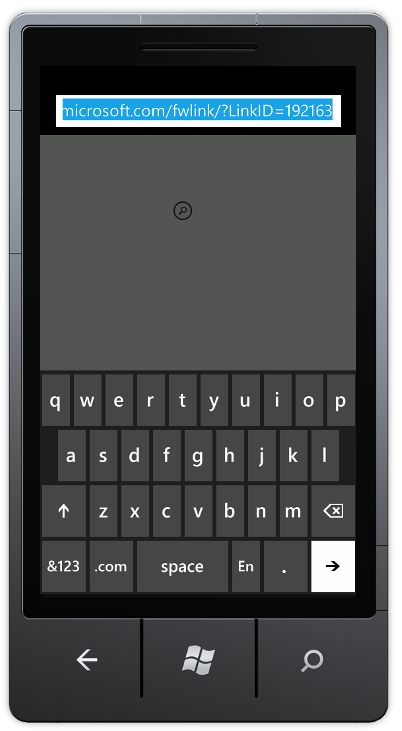

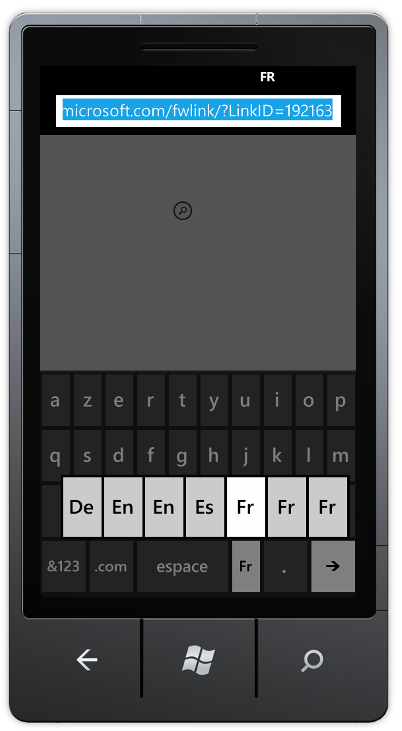
You an also view all selectable languages with tap&hold :
That’s it.